Enter the steps
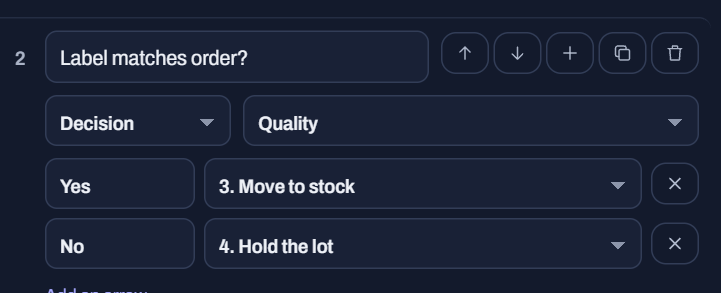
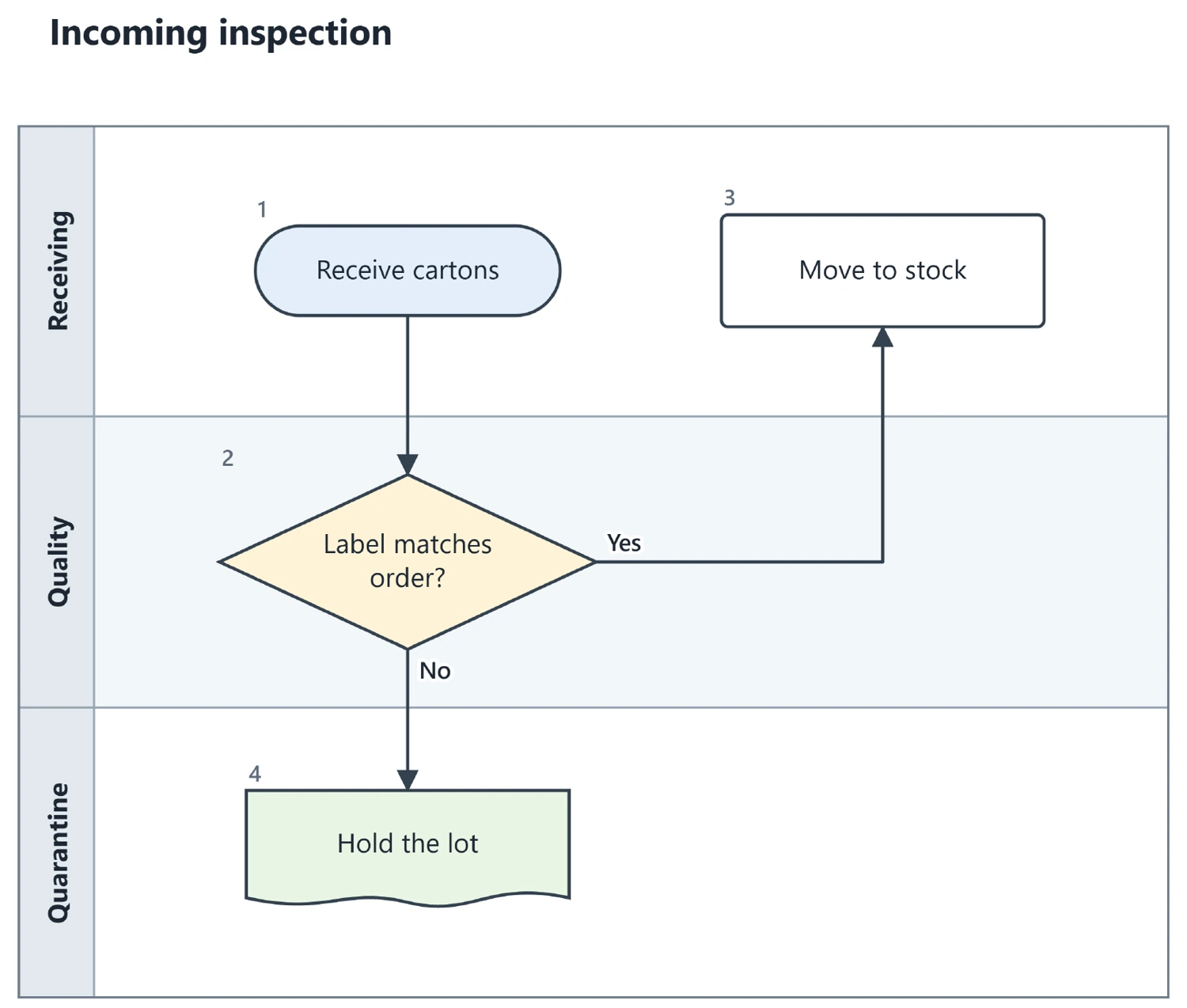
Enter the decision “Label matches order?” and assign it to Quality.
Process FlowSwimlane process flow charts
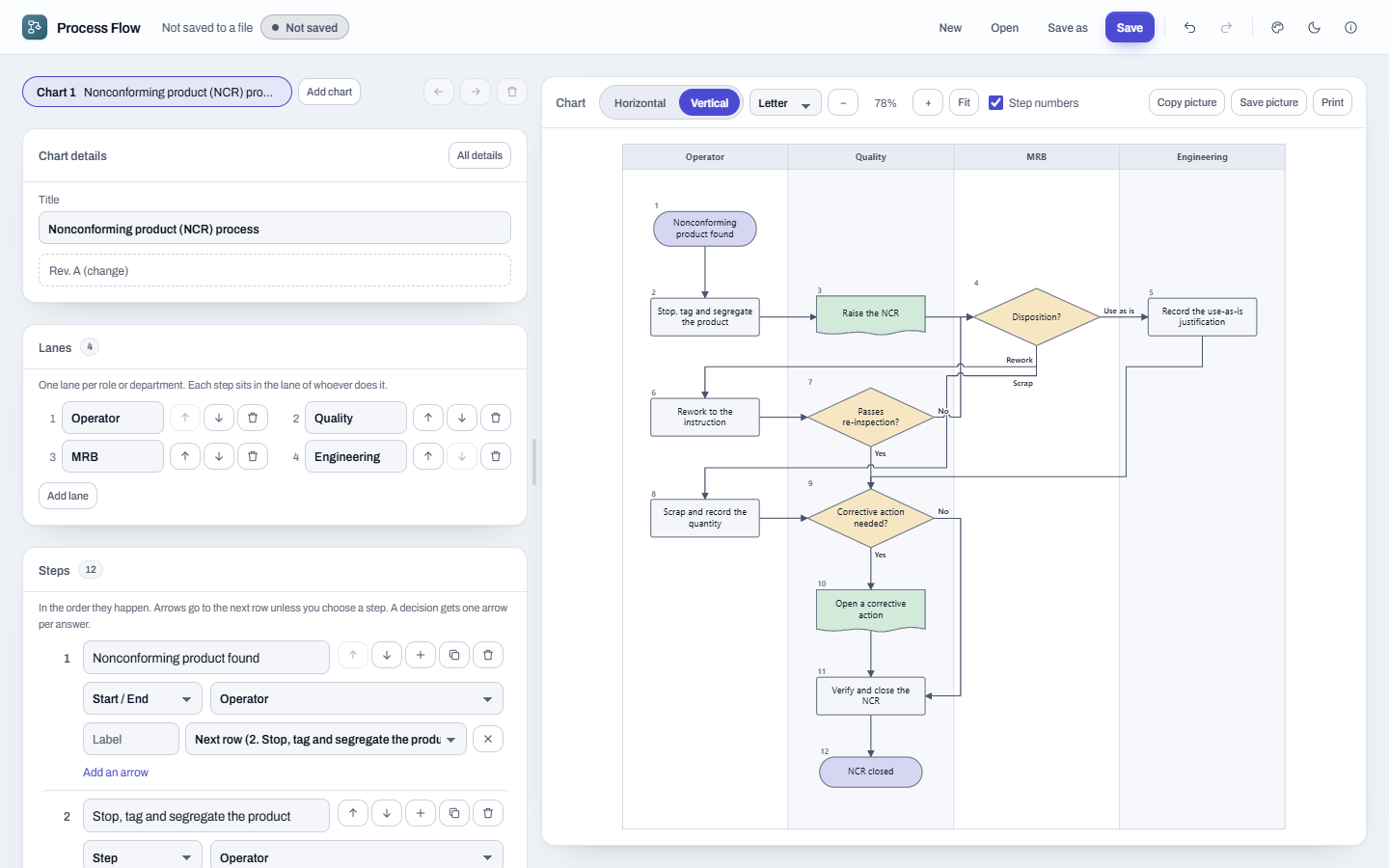
Write the steps, assign each one to a lane and connect the decisions. Process Flow draws the chart and exports it for your procedure.
Working offline
Process Flow opens in Chrome or Edge. Your team can start from one HTML file, without an installer, an account or a server to maintain.
Every chart is a PDF you save in a folder of your own, such as the team folder on your network drive. The chart rides inside the PDF, so the file you print and send is also the file you open to change it.
The app makes no network requests. You can keep working without an internet connection.
Watch it work
Build the “Label matches order?” decision and follow both paths into the exported chart.
How it works
Enter the decision “Label matches order?” and assign it to Quality.
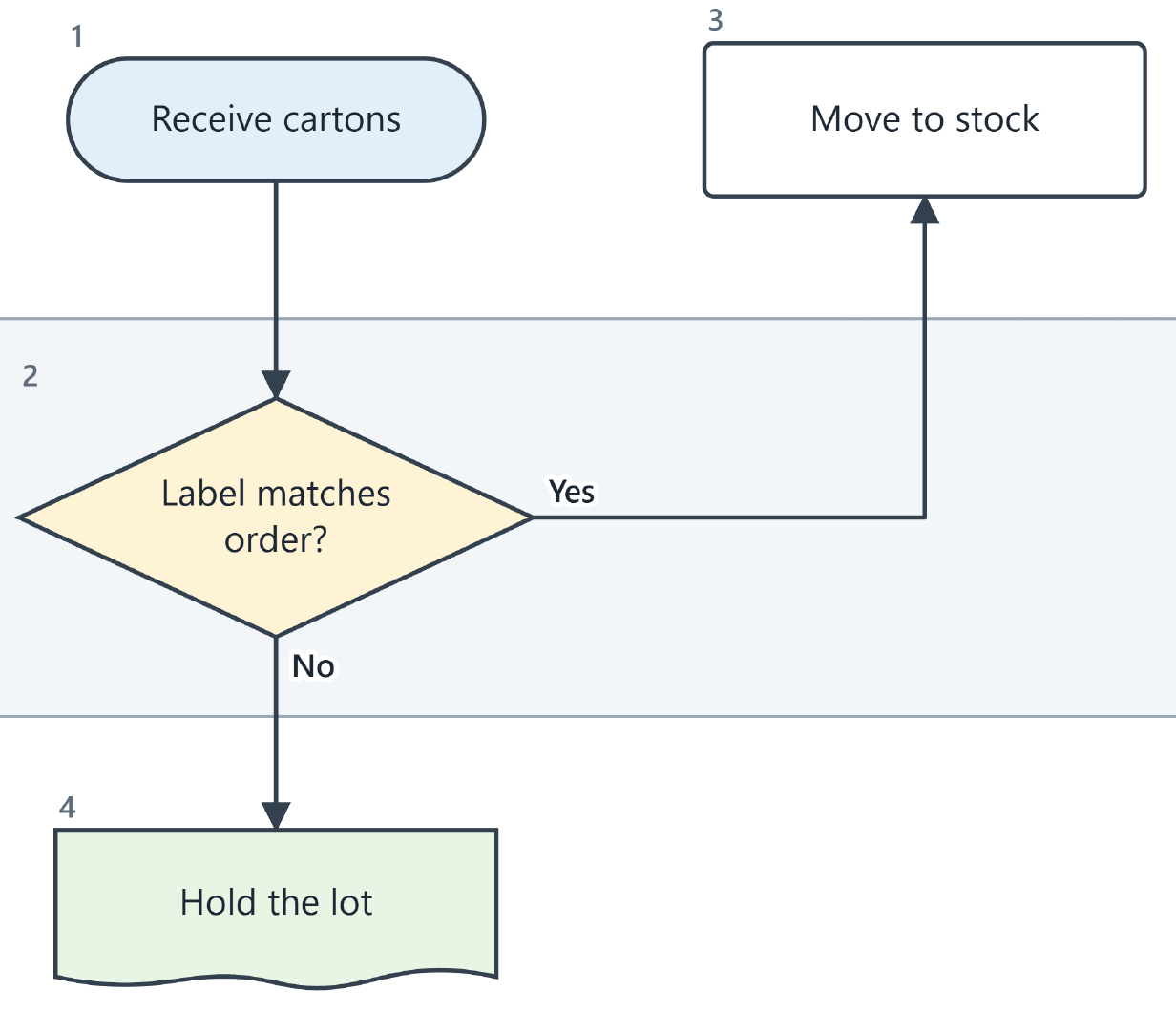
Yes leads to “Move to stock.” No leads to “Hold the lot.”
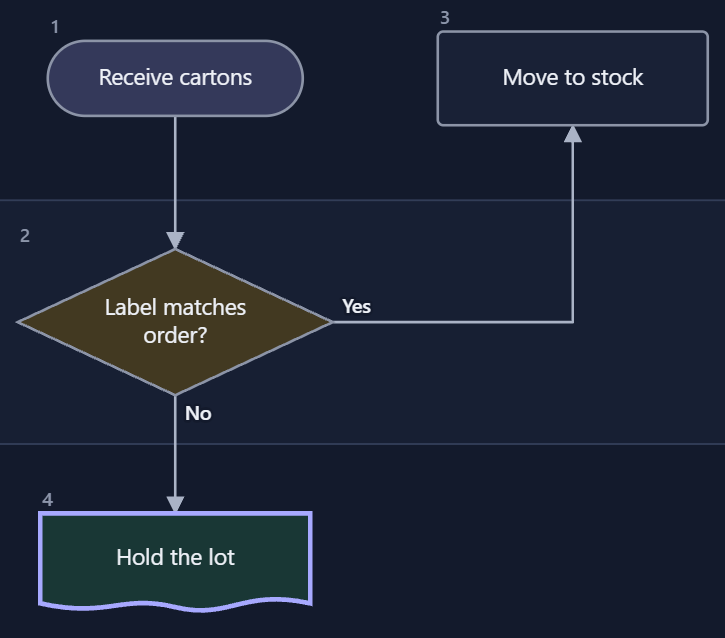
Follow the same Yes and No paths in the exported receiving chart.
What Process Flow does
Try it before you draw your own: Process Flow opens on an example chart, a nonconforming product process, and New offers four templates and a blank chart to start from.
Process Flow keeps no database and no shared folder of its own: a chart is the PDF you save, wherever you save it. Edge and Chrome save back over the file you opened; Firefox and Safari cannot, so there Save downloads the PDF and you put it where it belongs.
Process Flow draws the process you describe. It does not check that the chart is your process as it runs, and it does not approve or control a procedure: a chart that belongs to a controlled document is reviewed and released the way the rest of that document is.
A closer look


Process Flow license
Your team can use Process Flow on any number of your organization’s computers.
All sales are final. Process Flow is a one-time purchase, not a subscription, and the copy you download is yours to keep. Watch the walkthrough to see whether it fits before you buy.
Download Process Flow after payment. Your emailed link also delivers every 1.x update. Stripe sends your receipt and invoice.
Add it to your suite. Every Alderworks app you buy counts toward the $599 Alderworks Quality Suite, all ten apps in one file. With Process Flow bought, the other nine together cost you $400 at most: each costs its own price until the one that would take you past $599, which costs only what is left and brings every app.
If there is ever a 2.0. It is a new purchase; your 1.x license keeps working and keeps getting 1.x releases.
Questions before or after buying go to support@alderworks.dev and reach someone who worked on Process Flow. Answered by email, as soon as we can; we do not promise a response time.
What IT will ask. The license agreement that comes in the download, what the tool sends and stores in security, and what a purchase shares with us in privacy.
Checking the file. The current download is ProcessFlow_1.2.1.zip, 744,088 bytes. Its SHA-256 fingerprint is below; anyone can confirm the file they received is the one we published by running certutil -hashfile ProcessFlow_1.2.1.zip SHA256 on Windows or shasum -a 256 ProcessFlow_1.2.1.zip on a Mac, and comparing.571b988a30c54a25f0666aa833eab028b4b0412bef9bf14eafe2d5c0da5b9b93
If you enter something twice or use a different term on the floor, tell the people who work on Process Flow.